
Spares & inventory
A spares inventory that keeps itself honest
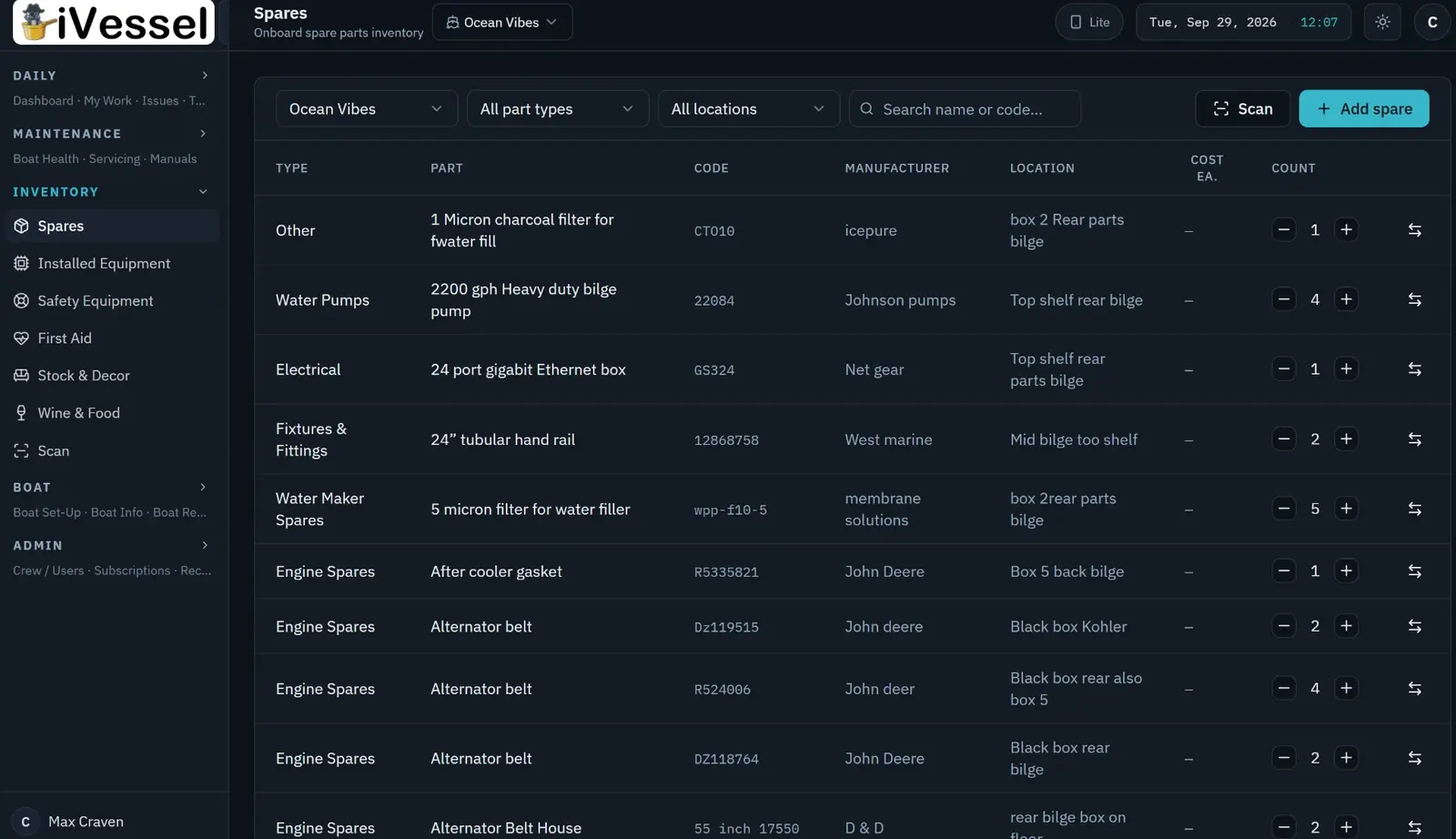
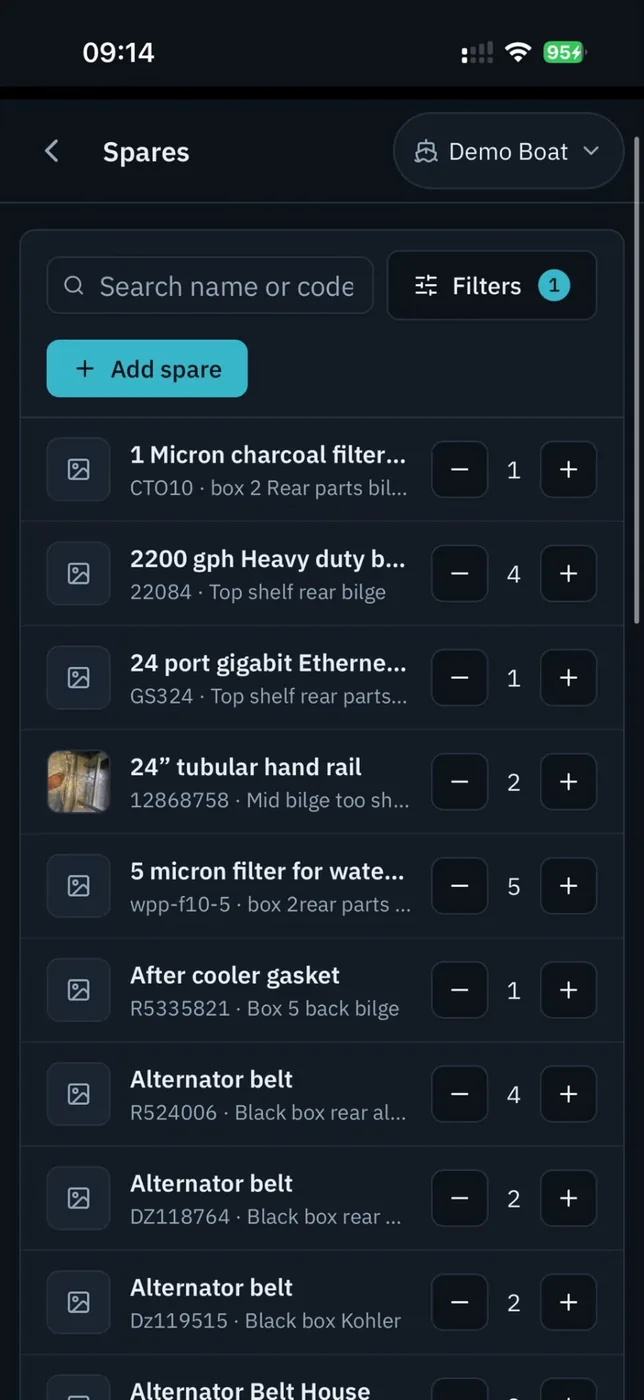
Every part has a location on board, a quantity, a minimum, a part number and a photo. Log a service or fix an issue and the parts used come off the inventory automatically — so the list and the locker agree.
Six categories, one system: spares, installed equipment, safety equipment, first aid, stock & décor, and wine & food. Scan a barcode from the phone to find, add or deduct.
01
Find it, count it, use it
Built for the engine room, not the office.
- Barcode scanning on iOS and Android
- Location that means something — 'engine room, port locker, box 3'
- Photo of the part and the box
- Parts linked to the equipment they fit
- Minimum stock per line; below minimum goes straight to the shopping list
02
Deducted at the moment of use
The inventory changes when the impeller leaves the locker, not at the end of the trip.
- Parts and consumables deducted as you log a service
- Parts used against an issue recorded with the fix
- Every movement recorded with who, what and when
- Expiry dates and reminders for flares, EPIRB batteries, medical kit
- Season count made easy: correct the list, keep the history
03
Fleet and land store
For more than one boat, or a shore store.
- Transfer spares between boats in the fleet with the movement logged
- A company land store ashore, seen like another inventory
- Low-stock view across the fleet
- Wine list with notes for the interior team
- Works offline; syncs when back in range